Server case recommendation
Looking to move some drives from my gaming rig to my server but it lacks hot swappable bays.
I have seen a few nice cases but they dont check all the boxes. Anyone have a good recommendation based on…
12+ hot swappable drive bays
Fit full size graphics cards
ATX full size
Rack mountable
Includes rails is a plus but optional
#selfhosted
947 posts · Last used 46m
Anyone know of a FOSS type kids messenger?
cross-posted from: lemmy.today/post/63107763
I’m looking for something like Snikket or Prosody, but kids-oriented. I DON’T want my <10 daughter using Meta Messenger Kids! I’ll tell my friends to setup for their kids, too. I’d have no access to anything, so it’s secure (mom and dad not snooping per se), but the downside is minimal parental controls. Though, no one to really add either.
I’ll host or pay for it, IDC. It doesn’t seem like there is much out there either.
JusTalk seemed nice when I found out but apparently China owned and so no more secure. I/we need better options!
Self-hosting messaging infrastructure
I’ve been using Signal for many years now, and it fulfils most of my messaging needs. But last year’s AWS outage, which took it offline for almost a day, showed one of its many flaws: Signal is highly centralised and reliant on big tech infrastructure.
I was therefore wondering if I shouldn’t start self-hosting my own messaging infrastructure - maybe not for my day-to-day needs, but as an emergency fallback for my closest friends and family, should Signal fail again or become unavailable or compromised (looking at you, EU Chat Control!).
My first thought was to self-host my own Matrix/Synapse server, which ticks a lot of boxes for me: end-to-end encryption, media sharing (pics, audio, videos, all that good stuff), high availability of mobile clients with modern UIs, potentially even audio/video calls. The latter is still giving me a headache since apparently, I need a TURN server to get this working properly, and I’m somewhat reluctant to open so many ports just for it to work…
What’s your perspective on self-hosting messengers: which ones do you prefer? What is your primary motivation to do it? And how have you set it up?

Boosted by @welcome@friends.deko.cloud
Hi Mastodon 👋 We're natbox: tiny Linux servers, tiny prices.
Every NAT VPS comes with root SSH, a shared IPv4 with forwarded TCP/UDP ports, a routed /80 IPv6 block and domain forwarding on 80/443. Debian, Ubuntu, Alpine or AlmaLinux. EU location.
Good for bots, VPNs, side projects and test environments.
https://natbox.io
#introduction #VPS #SelfHosted


Dawarich 1.22.0 — Alternative to Google Timeline, OwnTracks and Life360 [AIP]
Hello there, my dearest people of Selfhosted!
I’m Evgenii, the developer and maintainer of Dawarich, a free, open-source, self-hostable alternative to Google Timeline, and I brought you a fresh portion of updates we made in October 2026.
AI Disclosure (as per lemmy.world/post/49320548):
Implementation - Generated
Testing - Assisted
Design - Assisted
As always, our links:
Github: https://github.com/Freika/dawarich
Website: https://dawarich.app/
iOS app: https://apps.apple.com/us/app/dawarich/id6739544999
Android app: https://play.google.com/store/apps/details?id=app.dawarich.Dawarich
Less bugs
So, what we brought to Dawarich in October? First of all, A TON of bugfixes. I released fixes for and closed roughly ~150 bug reports, plus the stuff I discovered myself. For months, number of open issues on GitHub was somewhere between 100 and 150, and I was struggling to keep up with the new reports. But in October I was finally able to build a proper system around this and now reproducing, finding the root and fixing a bug is a lot faster process. As of today, we have ~40 open issues on Github, most of which are either feature requests (I usually convert them to Discussions on Github, under “Ideas” section) or bug reports related to our mobile apps. I hope to reduce this number further before the year ends. For the mobile apps development pace is naturally a bit slower, due to how releasing process works in AppStore and Google Play, but we’re addressing issues reported for them as well.
Made it faster and slimmer
Now, historically, due to tech stack of my choice, Dawarich consisted of 4 docker containers: the app itself, sidekiq for background jobs, redis for cache and sidekiq jobs queue, and postgresql for the database. I know it bothered some of our users, so I found the way to reduce number of docker containers to 3 by putting Sidekiq into the app container. It was introduced in 1.17.0 and works well, here’s your updating guide: dawarich.app/docs/self-hosting/updating/#one-cont…
Also, in the same release, thanks to one container less and some other optimizations, idling memory consumption went down, from ~480mb to ~230mb. Feels good, innit? And since we’re here talking performance, Trips pages are now a LOT faster, same as Points index page. Data imports and reverse geocoding speed were also improved, with more speed ups are being in progress right now.
No more Places and Areas mess. Also, Geofencing!
First, there were Areas, that you could draw on the map and detect visits within, then I added Places, that were created either from detected visits or manually by user. It was kinda inconvenient to have both, so I finally found the time to convert Areas to Places, add a radius to Places so the would act as Areas, and introduced geofencing as a cherry in top. Phew! So now you can create a place, set a radius to detect visits (upto 50km) and configure webhooks on enter-leave events. Enter the designated area -> Enter event triggered -> configured webhook is sent to your HomeAssistant, NodeRed, N8n, or whatever other service you prefer to use. Add some imagination and maybe you could configure push notifications. Complete freedom, yay!
Privacy zones
As much as I would love people to create videos about Dawarich (which they do, and they’re awesome!), it’s obvious nobody wants to doxx themselves by exposing their home location on a video. So a while ago I introduced Privacy zones for tags, and now updated them to work across all the maps in Dawarich, be it the Map page, Trips, Posters, Replays, publicly shared pages, you name it. Basically it works like this:
Create a place you want to hide your location data around
Create a tag with a privacy zone enabled, configure privacy radius
Assign the tag to the place from step 1
All done!
What’s important, the place tagged with a privacy zone’d tag is not in the middle of the radius, so it won’t be possible to establish exact location by simply putting a finger in the center of hidden radius. Here’s a short demo of how the feature works: youtu.be/CIl09RAVSBI
Some other notable changes:
Some features can be now disabled in the settings, for now it’s Family and Achievements
New Achievements were added: City explorer, National parks, Returning to a place after a while, and some more. This feature has a huge potential so the cards sets will be expanded further. If you don’t like, see the point one of this list :)
Stats were moved to Insights page for unification purposes
You can now import your checkins from Foursquare Swarm
Lots of other, smaller, things were introduced and/or changes, so as always, I’d recommend to keep your eyes on changelogs and create backups before updating :)
The mobile apps
We worked on them, too :) As always, some work was done to improve battery consumption and performance, on Android specifically, we added Photos and Hexagons layers to the map, some fixes for widgets, and a supporter badge in the web for those who purchased Self-Hoster Pro plan in the mobile app. Because every way of supporting matters and we would love to give back to the community.
Almost forgot: Dawarich is now available on your Apple Watch and WearOS :) Some screenshots below:
Stickers
We’ve sent first batch of stickers to our users from Germany, and I expect to send ~50 more envelopes to the rest of the world next week. If you’d like to receive some, leave your address in this form: tally.so/r/1A1DBg
Turns out, manually signing all the envelopes and postcards (I’m adding one to each envelope until they last) is a time-consuming job and a lot less fun than tapping buttons on a keyboard, but I managed to do it with the help of my lovely wife :D Gotta figure something out to simplify the process though, especially if there will be more people requesting stickers :)
Small reminder, the idea behind stickers is that you stick them in the place of your travels and (optionally) send me a picture of the place with the sticker with coordinates, so later I could put them together to a map, marking travelings of our users :)
Transportation modes experiment
In Dawarich, we have transportation mode detection for tracks. Based on speed, acceleration and some other parameters, an estimation is being done on backend, whether part of a track walked by foot, cycled, driven or flown. It’s pretty unreliable in its current form, so I have this idea, where you, the community, can help. I drafted a tool, where you can load your GPX files and mark track segments up, by providing information on what transportation mode the segment belongs to.
It all works in your browser and no coordinates nor timestamps being sent anywhere. When you finish, you can click “Review & Send” and only then features of the marked up track segments will be uploaded. You’ll be able to see what exactly is being sent before it’s sent to make sure no private data leaves your device.
Later on, when there is enough data for each transportation mode, I’ll try to compose a tool that will accept a gpx track and return most probable transportation mode for it. If all goes well and the tool works as intended, I will open source it under permissive license. It will also be distributed as part of Dawarich, which will benefit from more reliable transportation mode detection. Once it’s reliable enough, this opens some new possibilities for features long asked by the community.
Here’s the link, if you want to help: transportation-modes.dawarich.app
Thanks!
It’s fascinating, that after two years of Dawarich being in development I still have TONS of ideas, both for the web app and the mobile app. Kinda envy myself a bit, haha. Lots of stuff to port from our web to mobile, new features, improvements.
Thank you all for that. There would be no Dawarich without you, people using it, loving it and sharing it with your friends.
As always, more awesome stuff to come, see you in the next one!
P.S.
Links to save you a scroll:
GitHub
Website
iOS
Android
Support development: GitHub Sponsors / Patreon
Dawarich: Privacy Zones Demo
Linkwarden 2.17 - open-source collaborative bookmark manager to collect, read, annotate, and fully preserve what matters (+20k GitHub stars) [AIP]
Hello everyone! Daniel here, and I’m back with Linkwarden 2.17, with updates across the web app, the mobile app, and the browser extension.
For those who are wondering, Linkwarden is an open-source collaborative bookmarking tool that keeps a permanent snapshot of the content of the links you save, so you can still access them even if the original content is no longer available. Linkwarden is available as a Cloud offering, or you can get the source code on GitHub and self-host it on your own server with no strings attached. If you find it useful, consider starring the repo so others can discover it too!
So let’s get into it.
What’s new
Custom order for links
You can now drag the links inside a collection into any order you like. Custom Order is the new default sort for collections, and you can switch back to sorting by date or name from the sort menu at any time. The order is saved with the collection, and new links are added to the top.
Much faster rendering of huge lists
Links, collections, and tags now only render what’s on screen, so scrolling through thousands of links stays smooth. The collection page got the same treatment, which helps a lot if you have thousands of collections.
Choose the details when saving a link
The new link sheet in the mobile app now lets you set a link’s name, collection, tags, description, and banner before saving it, instead of editing the link afterwards.
Email verification with a 6-digit code
Instead of a sign-in link, Linkwarden now emails you a 6-digit code to verify your email address.
Other noticeable improvements
Password changes sign out other devices: Changing your password now signs you out on every other device and revokes your access tokens. Resetting a forgotten password signs you out everywhere. If you use the browser extension or integrations like Floccus with an access token, you’ll need to sign them back in afterwards.
Password rate limiting: After 15 wrong passwords in a row, an account accepts only one attempt every 25 seconds. This makes guessing a password much slower without locking you out of your own account.
More security fixes: This release also fixes a number of moderate-severity security issues, thanks to everyone who reported them responsibly. We recommend updating to 2.17.
Search from the address bar: With the browser extension installed, type lw, press space, then type what you’re looking for and press Enter to search your Linkwarden links straight from the address bar. This works in Chrome, Firefox, and other Chromium-based browsers.
Import fixes: Imported links now keep the order of their original dates no matter in what order they were imported, Wallabag dates are read correctly, and larger imports are more reliable.
Custom AI tagging prompts: Self-hosted instances can now replace the prompt sent to the model for each AI tagging method with the AI_GENERATE_TAGS_PROMPT, AI_PREDEFINED_TAGS_PROMPT, and AI_EXISTING_TAGS_PROMPT environment variables. Check it out in the docs!
And more: As always, there’s a long tail of smaller fixes and improvements across the web app, the mobile app, and the browser extension.
Full Changelog: github.com/linkwarden/…/v2.16.3...v2.17.0
Thanks!
Thanks to everyone using Linkwarden, reporting bugs, suggesting improvements, contributing to the project, responsibly disclosing security issues, and supporting its development. A special thanks to all the security researchers who reported the issues fixed in this release. 💙
If you’d like to try Linkwarden without dealing with server setup and maintenance, our Cloud offering is the easiest way to get started.
Hope you enjoy the latest updates!

Boosted by @welcome@friends.deko.cloud
Hi Mastodon,
I'm Udit. I'm building Crispher on my own: a Windows app that makes the PC you already own your private cloud, with AI that runs on the PC itself. I'll post about building it, on-device AI and keeping files at home.
#introduction #selfhosted #privacy
Nest Thermostat in 2026
Hey all, I spent the weekend updating my home’s thermostat to a smart model. I took a somewhat unusual path and went with a discontinued 2nd Gen Nest thermostat. Read about my journey -
Nest Thermostat in 2026 - Artificially-Awesome

How do you isolate a printer in your homelab?
Hi all, I’ve gotten a Brother machine (DCP series) that can do wifi printing/scanning over their proprietary app. However, I’d like to lock it down from my network, because having it on the same LAN as my other devices and the ability to phone out to the internet seem like room for mischievious activities.
For context, I have OpenWRT on my router, and my clients can access the Brother using their iPrint&Scan app and AirPrint on wifi, as well as the traditional USB port. But I’m not good in networking. In my research, I drafted out the following solutions:
Create a firewall rule to block the printer itself from making outbound requests. Seems simple, but I’m not sure if this can persist after IP changes or not.
Create a VLAN for “IoT devices” that cannot send outbound requests to my normal VLAN nor the internet. Inspiration from this video, I’d need to manage a new SSID but it may come in handy for more IoT devices later.
Hook the Brother up to a Raspberry Pi via USB, and install CUPS + SANE on the Pi. Assuming the Pi cannot “phone home” on behalf of the printer, this makes it a local-only “print+scan service” on my normal network and doesn’t require an extra VLAN.
I’d like to ask: which solution above is best for “neutering” the Brother? Or are there any alternatives/details I might’ve missed? I’m not sure if blocking outbound requests this way is enough of a security hardening for an untrusted device, and if there are any usability issues I’ve overlooked so far.
Thanks for any advice, and please share any printer/scanner setup you have in your networks as well. So hopefully I can get more inspiration!
How to configure OpenWrt as Firewall for your home network and Guest Wifi and IPTables explained

Boosted by @fedicat@pc.cafe
🎉 Manyfold v0.154.2 is out, with a smattering of bug and security fixes.
🗞️ Full release notes: https://manyfold.app/news/2026/11/16/release-v0-154-2.html
🌍️️️️️️️️️️️ Join a public server: https://3dprint.social
❤️ Support us on OpenCollective: https://opencollective.com/manyfold
🏷️ #3DPrinting @3dprinting #SelfHosted

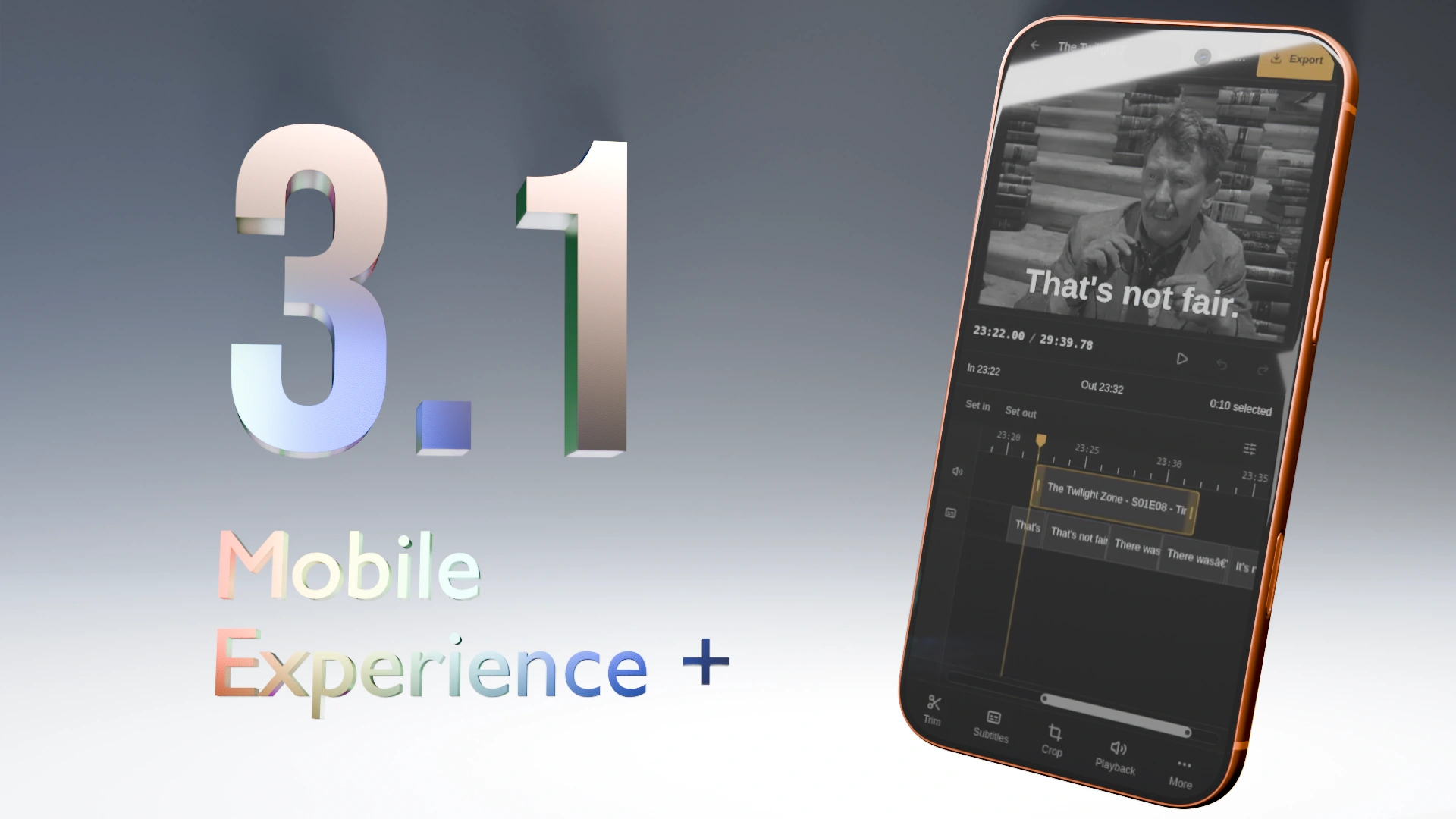
[AIP] Cliparr 3.1 Release - New Mobile Experience and Cropping
Cliparr 3.1 just released with an overhauled native-like mobile experience and a new cropping tool.
Release Announcement: cliparr.dev
GitHub Release: GitHub
What is Cliparr?
Cliparr is an open-source, self-hosted companion tool that integrates directly with your Jellyfin and Plex media servers to make extracting video clips from what you are currently watching seamless.
Cliparr performs 100% of its media tasks, including transcoding, directly in the browser and works on all devices.
What is it for?
Creating clips from your media library: memes for forums, short clips/GIFs for social media, or clean video segments for personal archives and sharing.
What does it need to run?
Almost nothing. Any modern smartphone, tablet, or desktop can run Cliparr. Host it locally alongside your media server and install the PWA directly to your device. It requires no external internet connection and can edit local media completely offline.
AI Disclosure
In accordance with community rules, here is the breakdown of AI involvement in this release:
Implementation - Assisted
Testing - Assisted (CI integration, browser automation tests, and extensive manual testing across multiple physical devices were written/executed with AI assistance)
Documentation - Hint (Release notes and documentation primarily human-authored with minor AI assistance)

Git control for novice gamedev?
Long story short: I’m starting on gamedev and want to get accustomed to version control without taking too much time learning about it
I know this is kinda asking to be spoonfed the answer, but truth is I don’t have a lot of free time and wish to focus mine on not losing interest in this new hobby (I know getting stuck on details and scope is one of the main pitfalls of new gamedevs). I also want to get used to do things the right way (otherwise I wouldn’t even be thinking about it this early) anywhere I can that isn’t too distracting from the goal. At least I’m contributing discussions to the community.
I know there are a few self hosted git options, but I don’t really understand much of what using git is like, technically I “learned” to use github for version control when doing a web dev course but I couldn’t keep a single part of that segment in long term memory.
I am looking for something I can host on my server and that I can push to from godot or a gui client (from linux). I am looking to selfhost partly for the giggles (if it’s somehow too complicated I’m willing to give up on that part) and partly because I don’t want to keep my stuff on someone else’s server if I can avoid it. I’m also trying to avoid having to learn about how to properly use it for as long as I can.
I think I’ve read about gitea on here before? I’d rather avoid ai-assisted projects because of the low commitment threshold to push updates, I’m pretty sure they’re more likely to give up with the updates than caffeine fueled coders thanks to the sunk cost fallacy.
I don’t plan on publishing anything on the time being, maybe after a while I might look into it more and use a proper service, one of my long term goals is making a foss game that people want to play, but that’s long down the road, I rather learn how to make games first.
Edit: Thank you all #so much for your responses, they were all very helpful, even the ones that kinda ignored my requirement to avoid learning git, as they help lay out a path when I decide to go into that path. Also really helped me understand some things. Hopefully they help others who stumble upon this post.

A Beautiful and Feature-rich Music & Video Player with Youtube Support, Built in Flutter
Running web sites makes me not want to - Lowkey Party


Do I need https on everything
Hey everyone,
I’m one of the people who still used proton and am now in the process of switching everything and trying to selfhost more.
I sucessfully setup Vaultwarden. I also decided I should move away from having my dockers publicly exposed with nginx reverse proxy and switched everything over to netbird. Im using their proxy feature now to access everything with custom domains and followed a tutorial to setup a bring your own proxy server on a vps. So now all my services are only accessible when my netbird vpn is active. I also spun up a pihole docker and added that to my netbird dns servers to try and get ad blocking on my mobile devices. So far so good.
I wonder however that while some webui’s like vaultwarden run with https, others like radarr dont. Is this a problem or does it not matter so much since i have the vpn running?
I dont really understand how I would go about making them https though. Im on unraid for my dockers and don’t see why some use https and others don’t.
Sorry if this is a convoluted post, I’m quite in over my head with all the networking and dns stuff and just hoping I’m not doing something stupid.
Thanks for your help!
What I run on my $10 USD OpenStick, Linux, Homelab
cross-posted from: lemmy.bestiver.se/post/1436623
Comments


how often do your 3rdparty "refurb" drives last?
Bought from goHardDrive. I’ve already had a drive fail and require replacement, and that was with pretty much no use. It just failed on a smart test. The same drive, maybe, has already failed again. I’m going to nag em because of the warranty, but it’s pretty worrying. Like, I’m sure failing a scrub isn’t the end of the world, but it’s also not a good thing, right?

What second hand PC/Laptop should I buy for home-labbing.
I have never homelabbed, and this is going to be my first experience. I want to set up a home server. My current goals are to set up a gallery using Immich, an ad blocker/DNS using Pi-hole, and a cloud service.
I want you to suggest what second-hand PC or laptop I should get. I researched a bit and found out that a PC is better because of 24/7 reliability, better cooling, no risk of laptop battery swelling, easy RAM and storage expandability, and low idle power consumption.
What I think the specs should be for me is 12 GB RAM and 256 GB storage.
And my budget is 10k INR.
I want to hear your thoughts.
Thank you! :)

What are you using RSS for?
Hopefully this is a fit for this community (for getting value out of a self-hosted RSS aggregator/reader).
I’m looking for a list of high-value feeds to subscribe to or some alternative ideas to use RSS for in $current_year such as subscribing to a youtube channel without being logged in/directly using the frontend.
syncthing but with file sharing
Been using syncthing for a year now and works great for syncing between devices. But i miss file sharing with family members that nextcloud allowed me to do. Yet i left ut because it was too bloated and every update at the time broke my instalkation. Is there something a mature and specialised as syncthing but that allows sharing between accounts?